
Walleta
Savings funds for every goal.
Walleta helps you save for specific things and see what happens to that money. Give each goal its own fund, forecast what you'll spend from it, and always know how much is still free once those plans are covered.
Funds
Every goal gets its own fund.
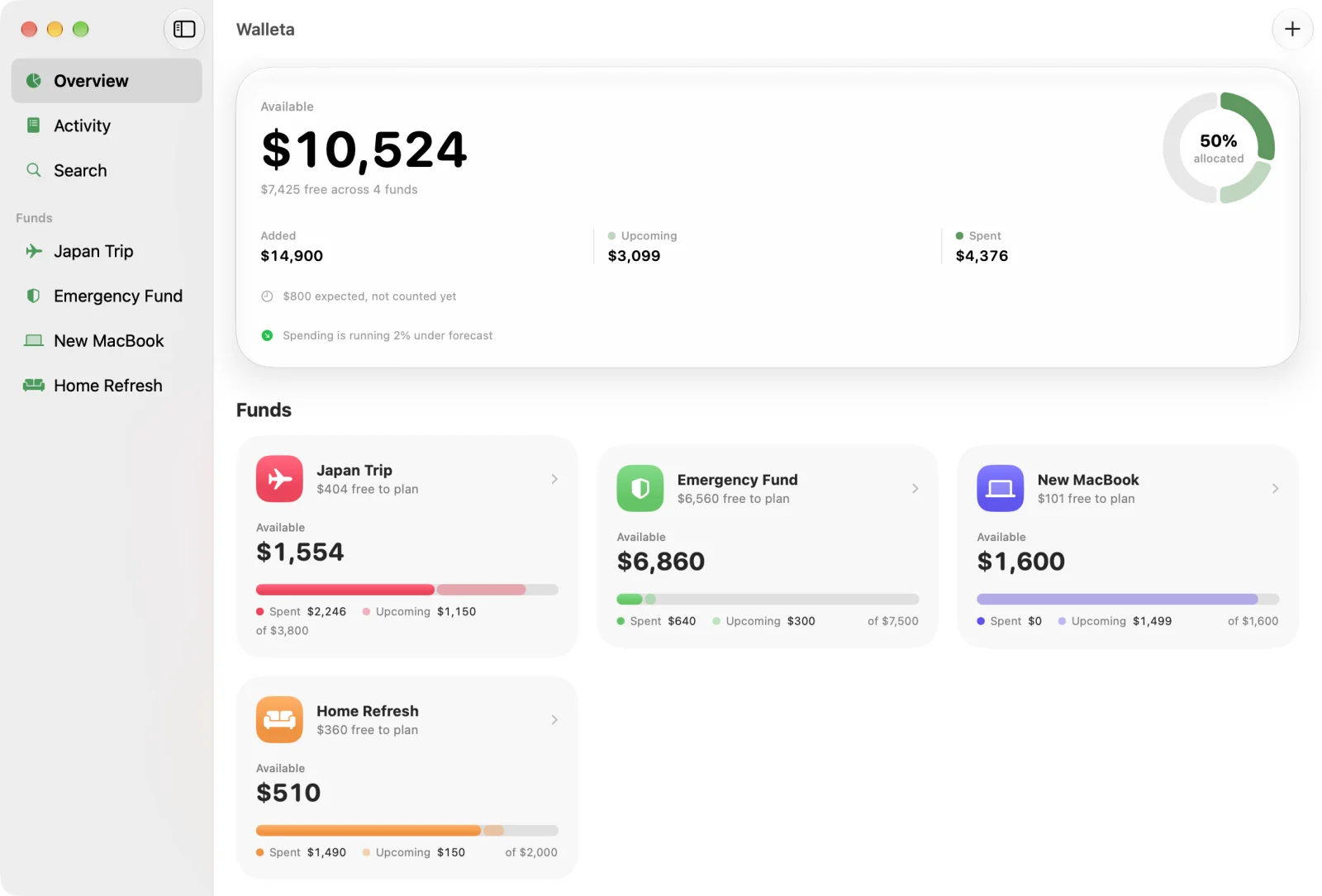
A trip, a new laptop, an emergency cushion: each fund has its own colour and icon, and you add to it whenever you put money aside. The overview totals everything, with a ring that shows how much of your savings is already spoken for.
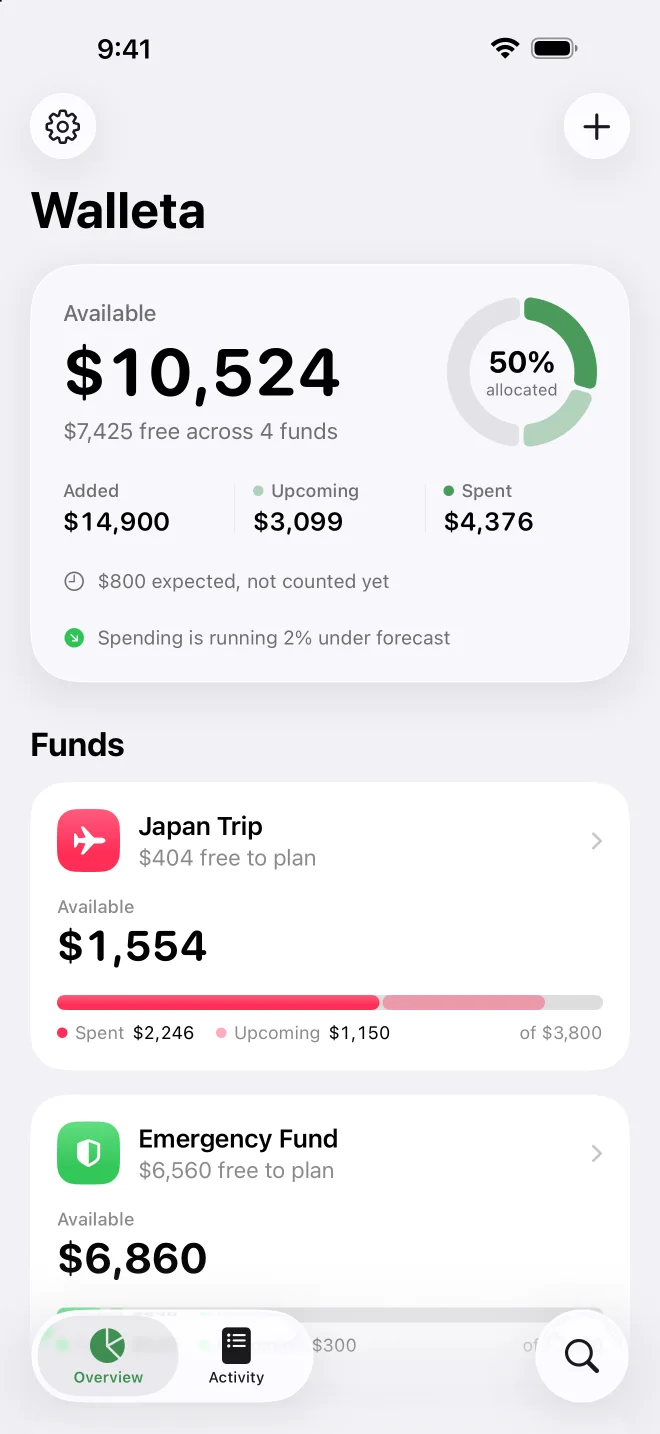
- Each fund's balance, what you've spent and what's still to come
- Drag funds into your own order
- Amounts in the currency of your choice
Planning
Plan spending before it happens.
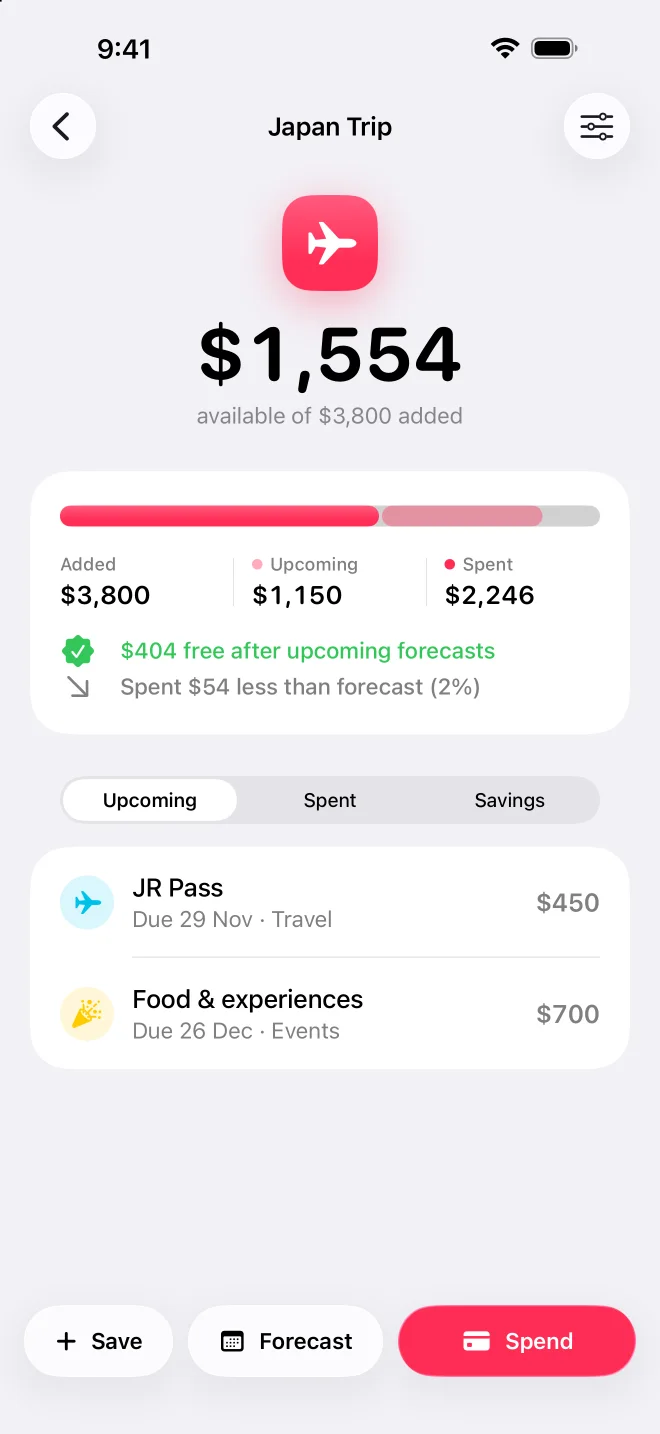
Forecast what you expect to spend from a fund, with a date and a category. Walleta shows what's still free once those plans are covered, and warns you clearly when a fund doesn't hold enough for what's planned.
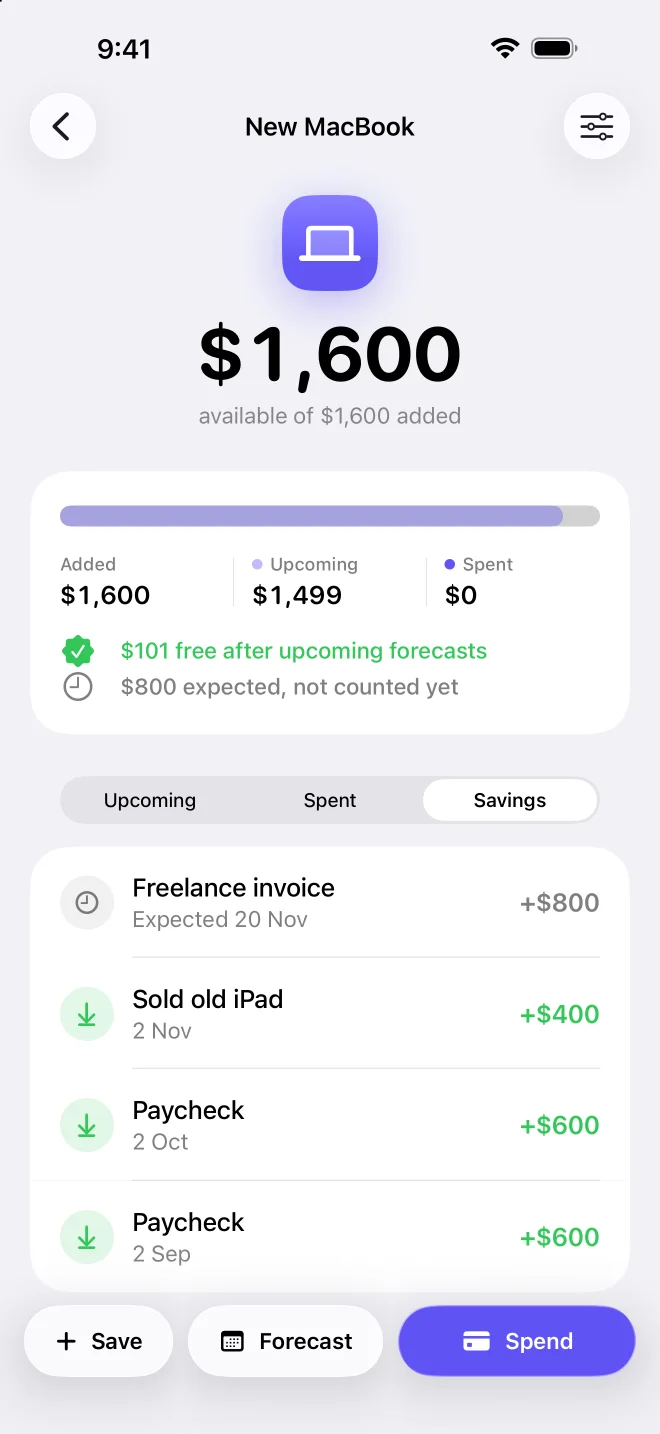
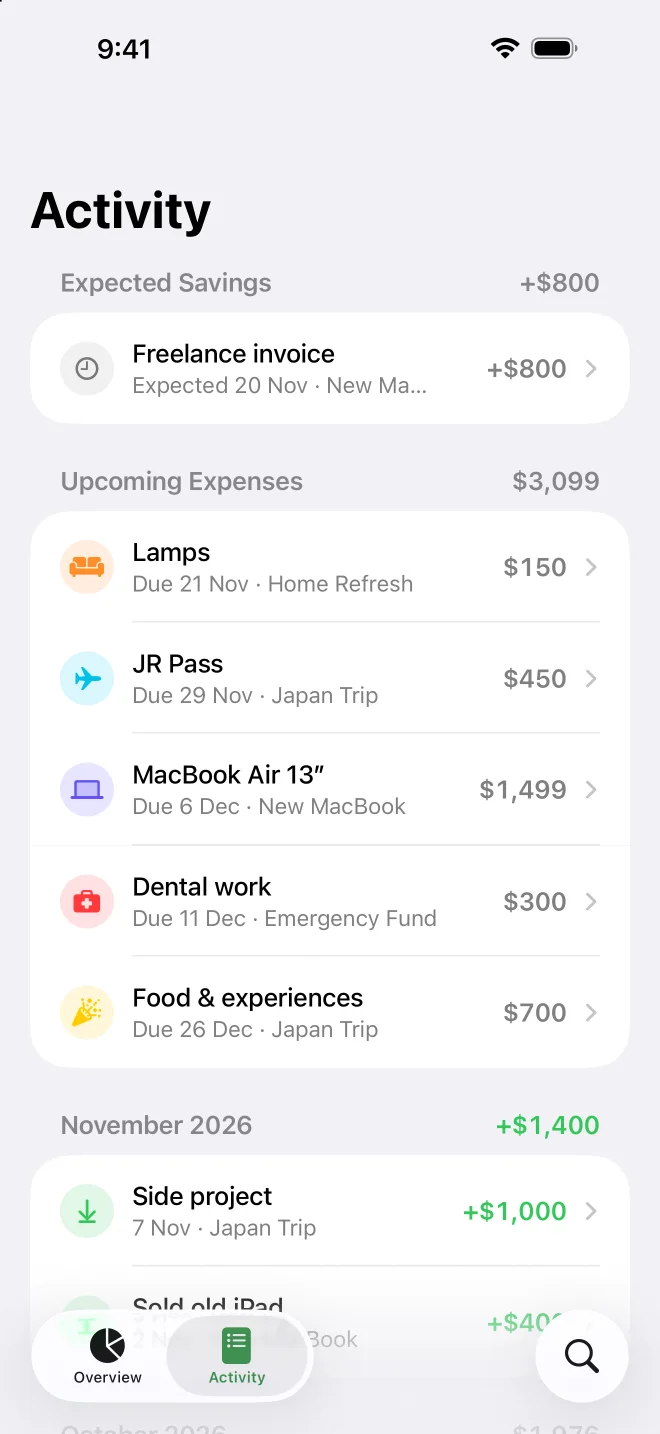
- Expected savings, like a paycheck, only count once you mark them received
- A shortfall warning per fund and across all of them
Tracking
See how the real spend compares.
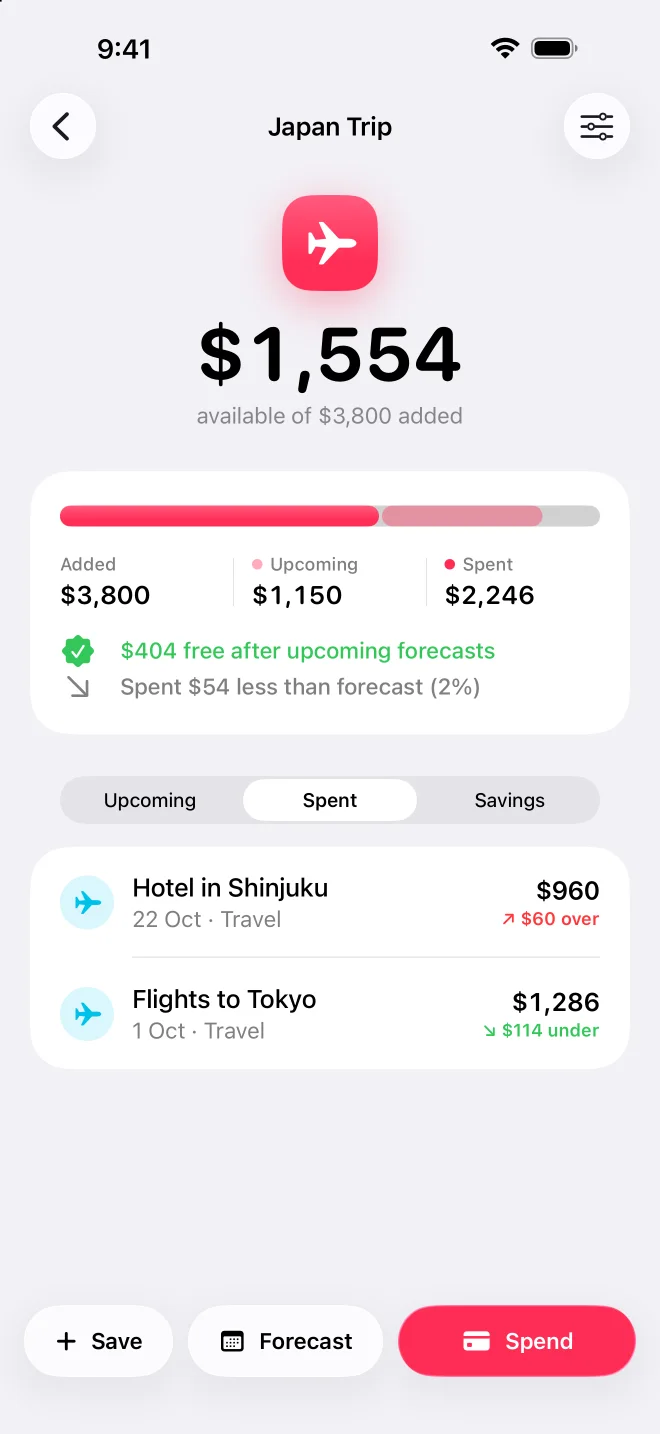
When you spend, log the real amount, or swipe an upcoming expense to mark it spent. If you forecast it, Walleta shows whether it came in over or under the plan, per expense and for the whole fund.
iPad and Mac
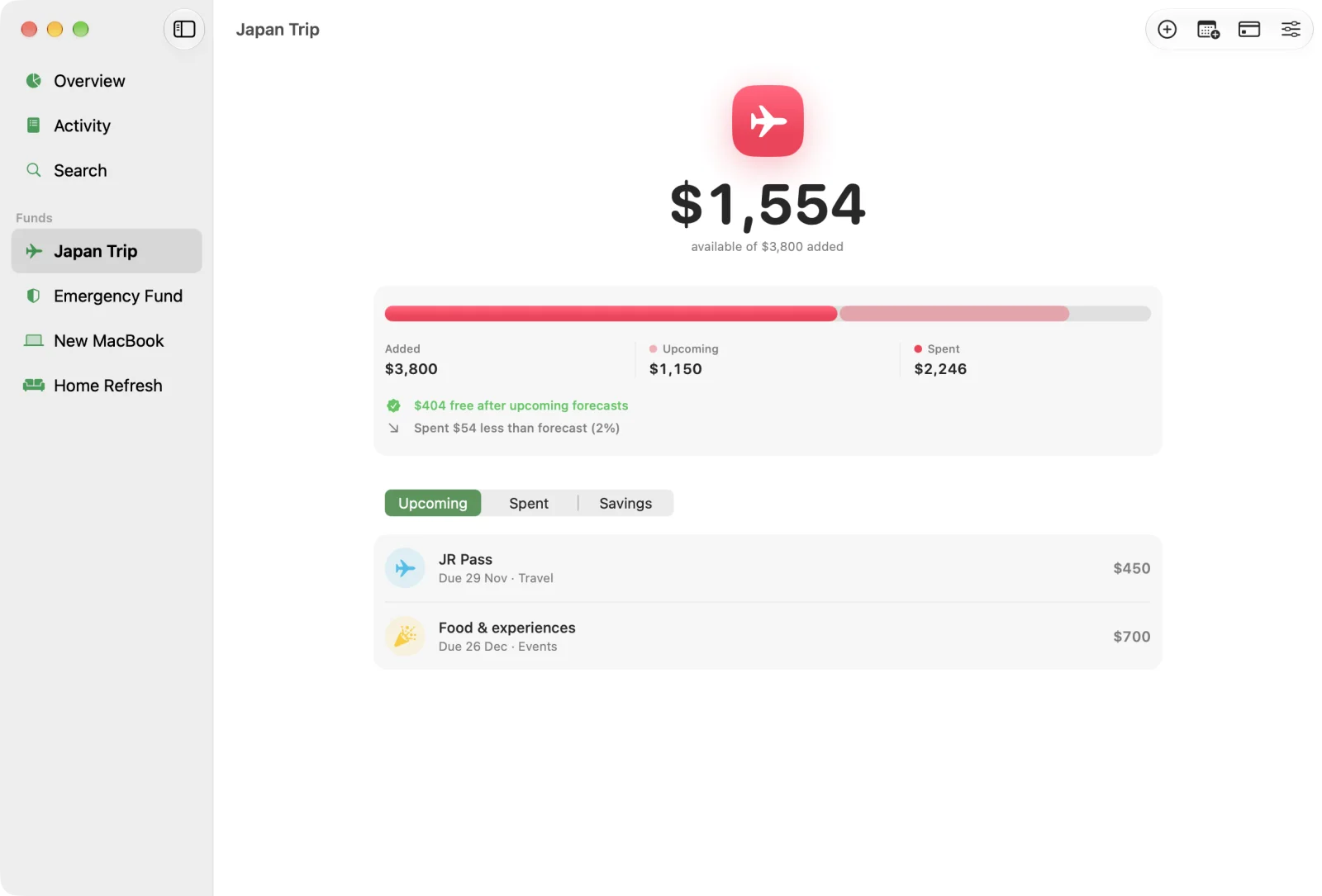
A sidebar for every fund on bigger screens.
On iPad, the open iPhone Duo and the Mac, each fund gets its own place in the sidebar, actions move to the toolbar and content keeps a readable width. Funds sync between all your devices through your own iCloud account.
And the details.
- 3platforms from one SwiftUI codebase
- 0data collected. No account, ads or tracking
- Freeon iPhone, iPad and Mac
Month by month
Activity groups everything by month with each month's net total.
Search
Find any expense or saving by name, category or note.
Private
No sign-up, no ads, no tracking and no server. Works offline.
Accessible
Dark Mode, Dynamic Type and full VoiceOver labels, including the ring and bars.
Liquid Glass
Built on iOS 26's design: glass tab bar and toolbars, with plain cards for content.
iPhone Duo
Adapts as it folds: an open fund stays open, moving between the sidebar and the stack.
How it's built
Swift, SwiftUI, SwiftData.
Walleta is a single SwiftUI codebase for iPhone, iPad and Mac, with SwiftData for storage and CloudKit for sync. I designed it first in Figma as a full design system, with variables, components and prototype flows, then built it to match.
- Swift
- SwiftUI
- SwiftData
- CloudKit
- Swift Charts
- Figma
SwiftData with CloudKit
Funds, expenses and deposits sync through the user's private database, with no backend to run. Without iCloud it keeps working locally.
Adaptive layout
Size classes, not device checks, decide between the tab bar and the sidebar, so the iPad, a narrow window and a folding phone all just work.
Money done properly
Decimal arithmetic throughout, locale-aware currency formatting, and status logic that explains every number on screen.
Walleta. Savings funds for every goal.