Shepherd
Your agents, one keystroke away.
A native macOS terminal for coding with Claude Code and Codex. Shepherd keeps every agent across every project in one place, drops your terminals over any app with a shortcut, and tells you the moment one needs you. Its free iPhone companion lets you answer from anywhere.
Shepherd Mini
Keep your IDE. Lose its terminal.
⌥⇧Space opens Mini over whatever you're in, your IDE included, in Liquid Glass that takes on what's behind it. It's on every Space, even over a full-screen app, so your terminals are always one shortcut away.
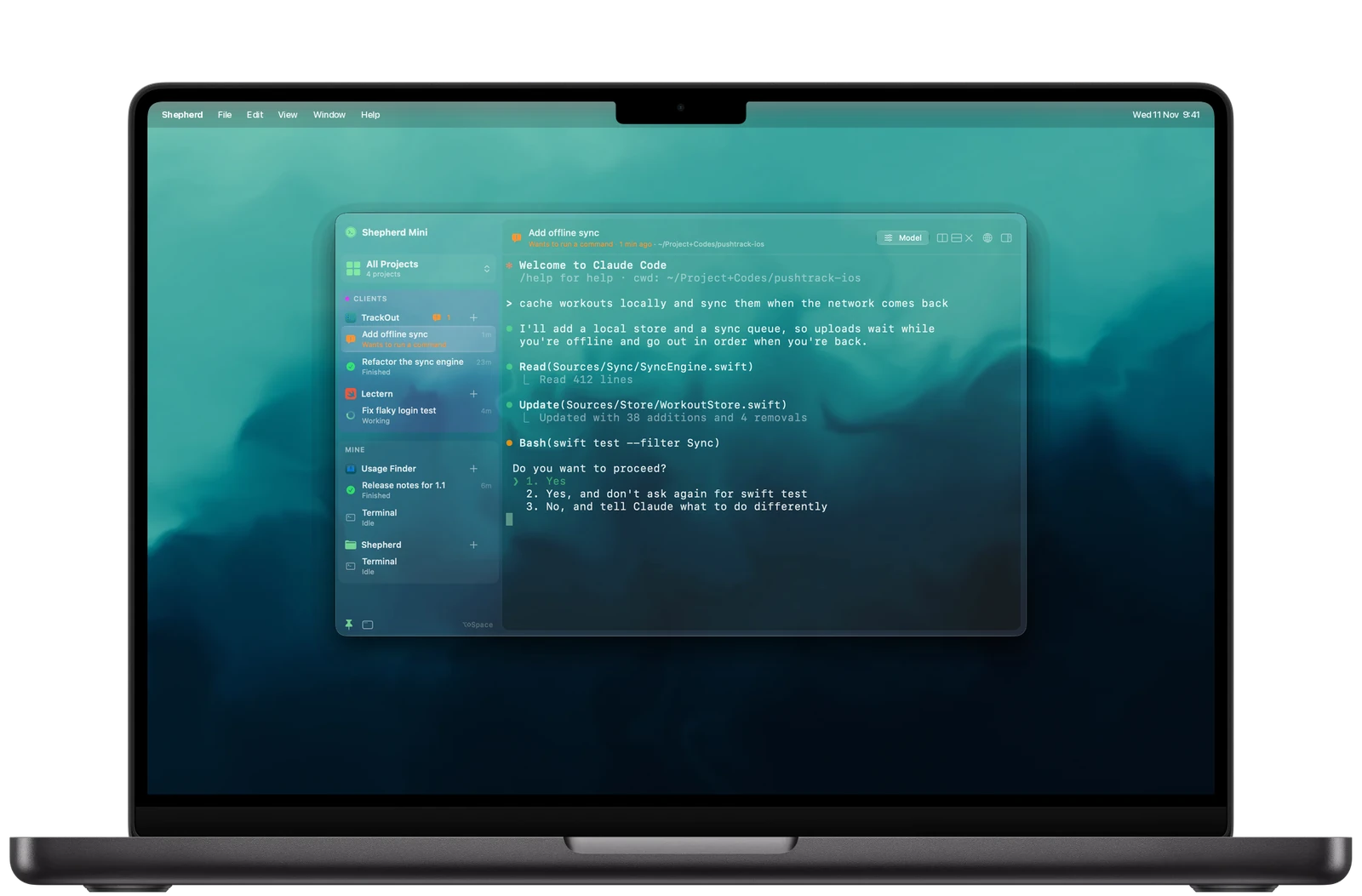
- Put away, Mini drifts into a small bubble with a badge for whoever needs you
- Hover the bubble for every agent; click one and Mini opens right on it
- Files, Git and a browser slide over the terminal without resizing it
Agents
Know the moment an agent needs you.
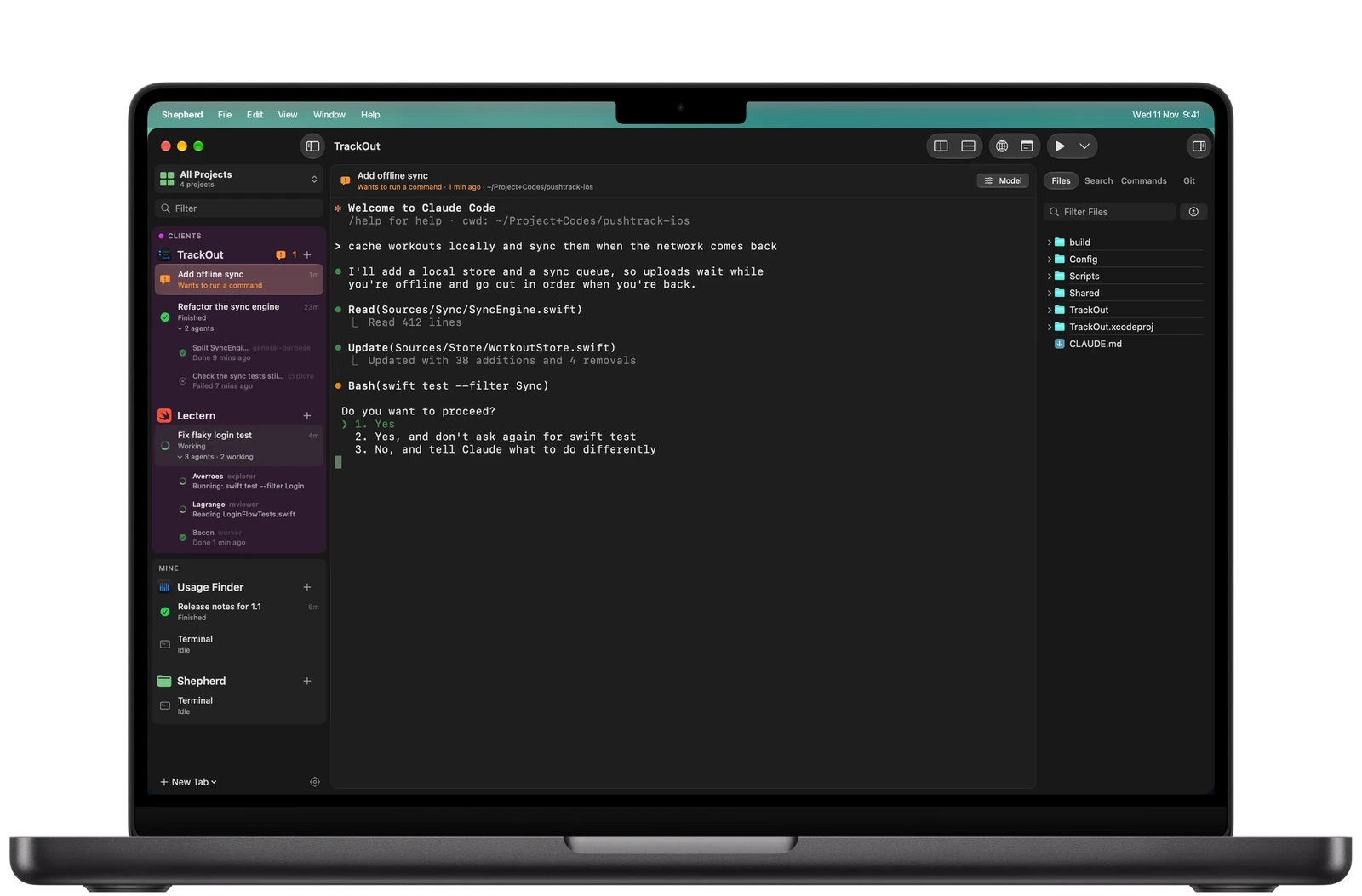
Shepherd watches the files Claude Code and Codex already keep, so it knows when one is working, finished or waiting on you. No hooks written into your setup and no config edits. Projects sit in groups, each with its sessions and terminals.
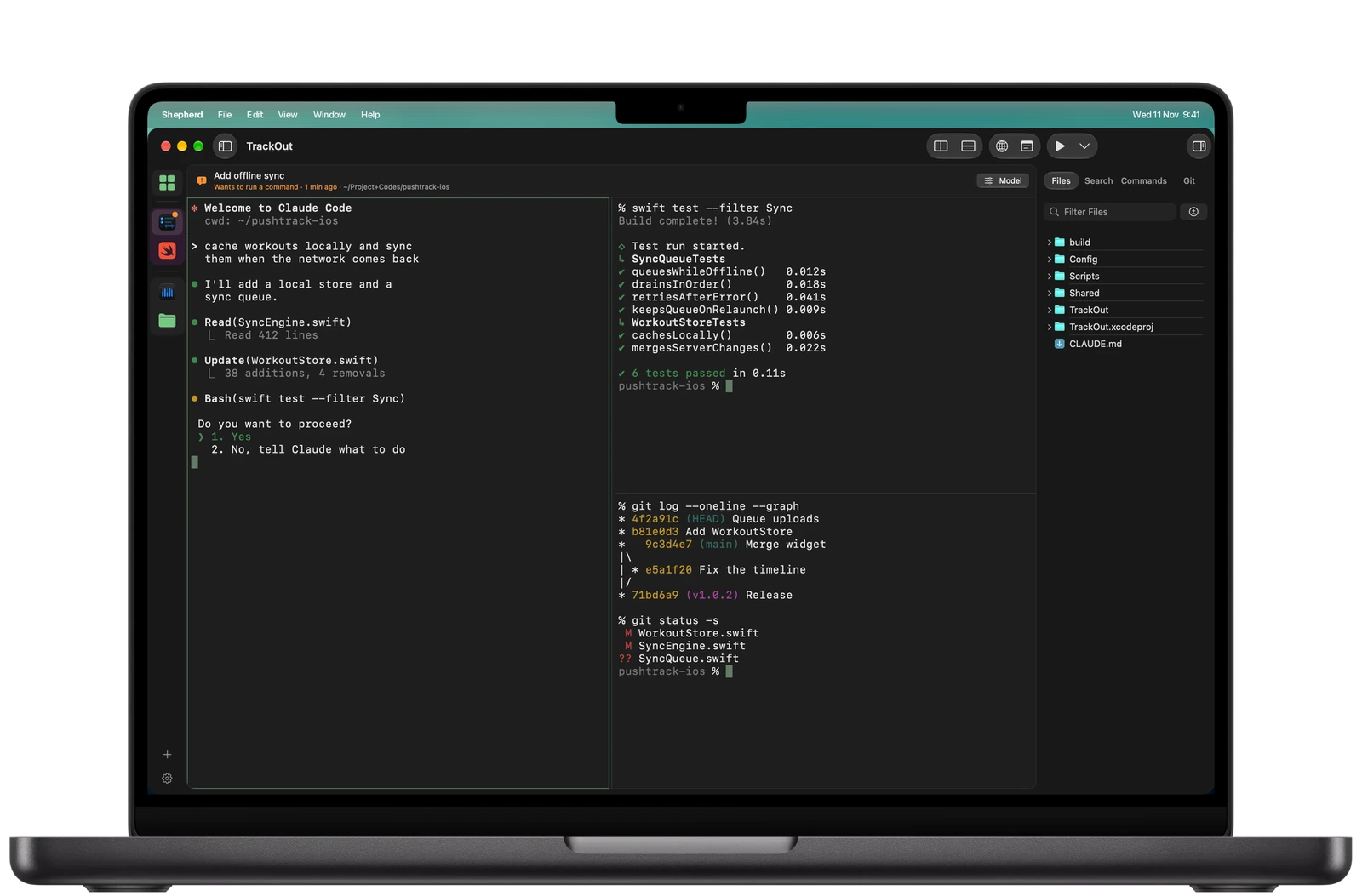
- A notification and a menu bar badge when an agent asks a question or finishes
- Split right, split down: an agent in one pane, your tests in another, Git in a third
- Saved commands run your dev server from the toolbar
Built in
Files, search, Git and a browser, beside the terminal.
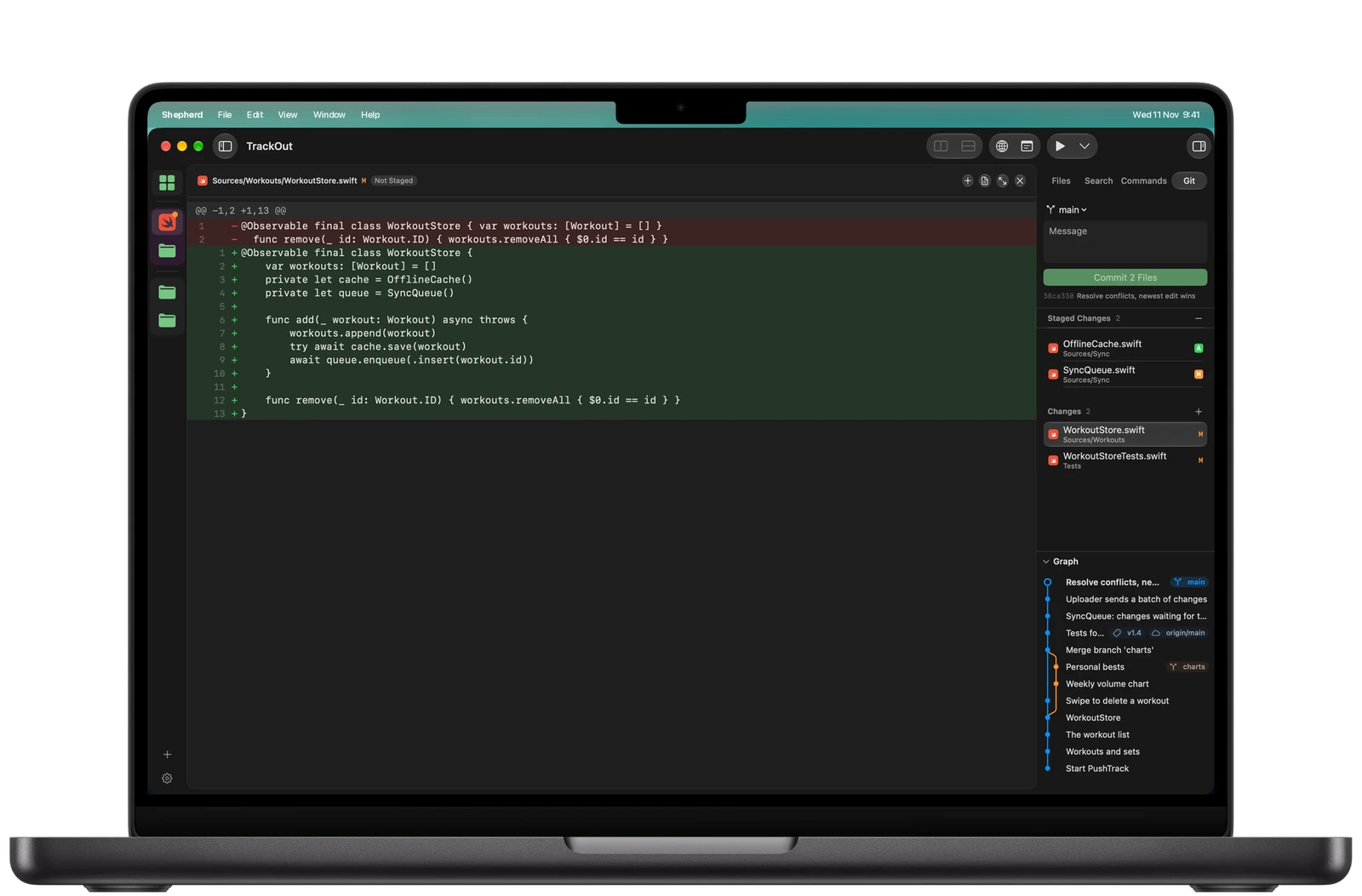
A panel beside the terminal, ⌘1 to ⌘4, holds the project's files, search, saved commands and Git. Edit with syntax colours, folding and a Markdown preview; stage changes from the gutter; commit, branch and push from the commit graph. Your dev server's page opens in the built-in browser by itself.
Shepherd Companion · iPhone
Approve, reply and push from your phone.
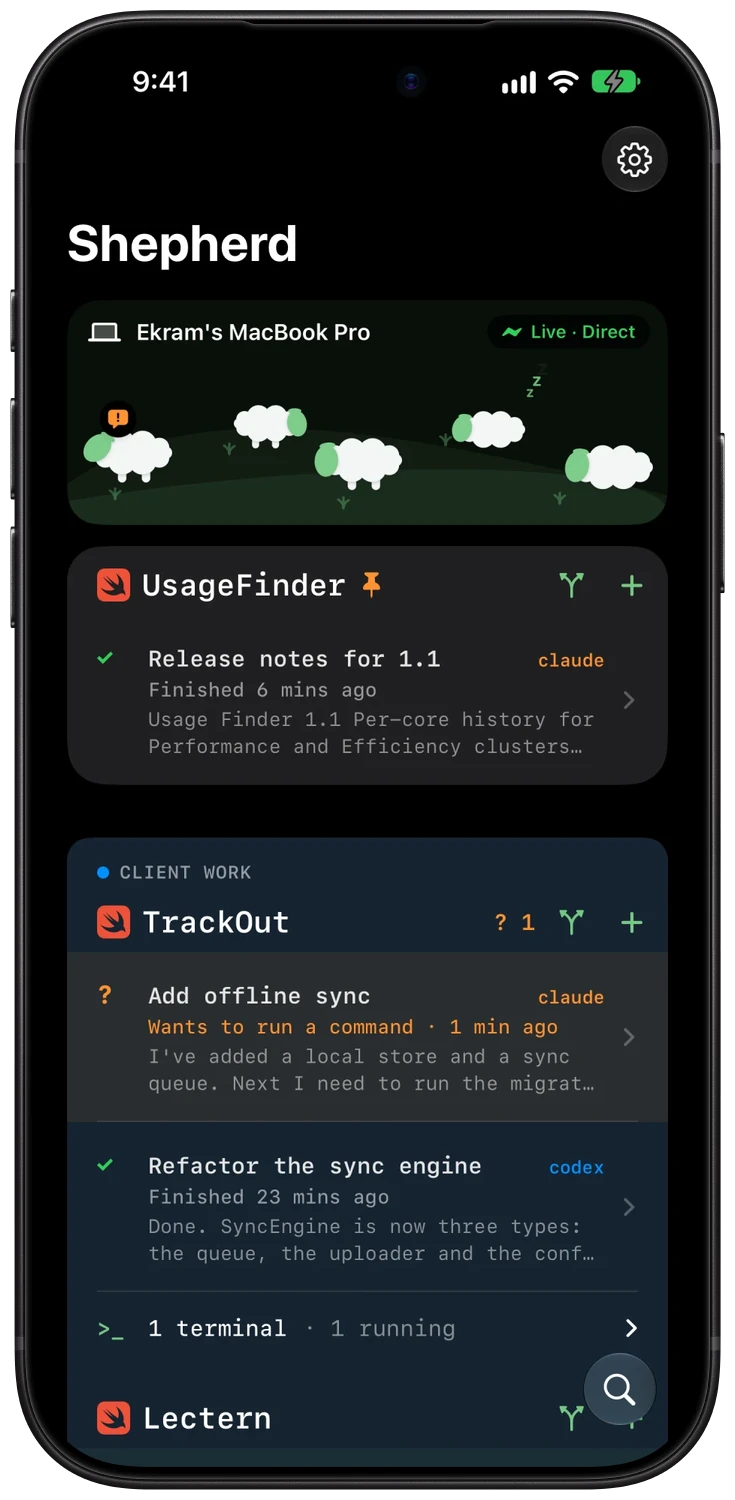
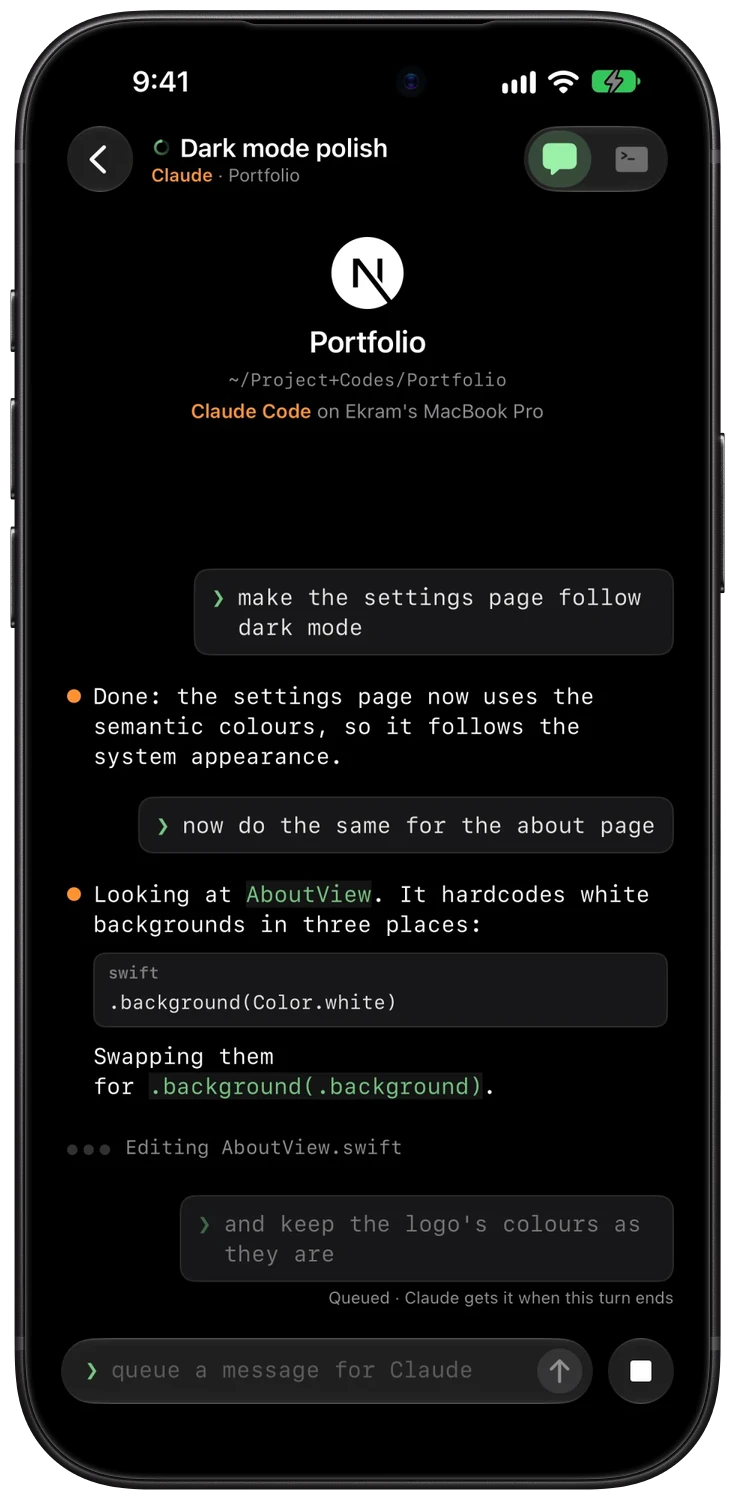
The free iPhone app shows every session on your Mac live. Approve or deny an agent from the Lock Screen, read and reply to the whole conversation or flip to its terminal, start a new agent, and commit and push with Git. Your Mac and iPhone talk directly on the same Wi-Fi, or through your private iCloud when you're out. There's no Shepherd server in the middle.
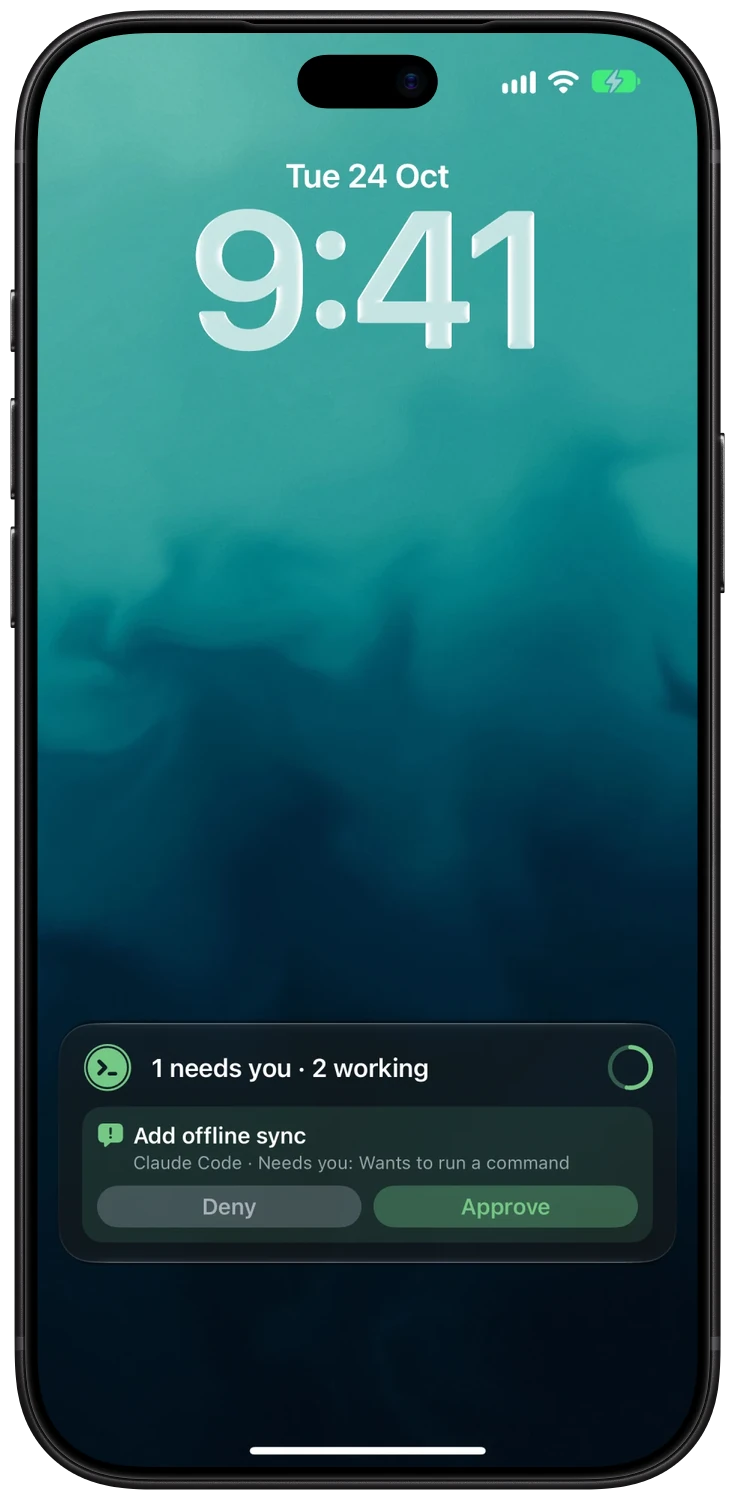
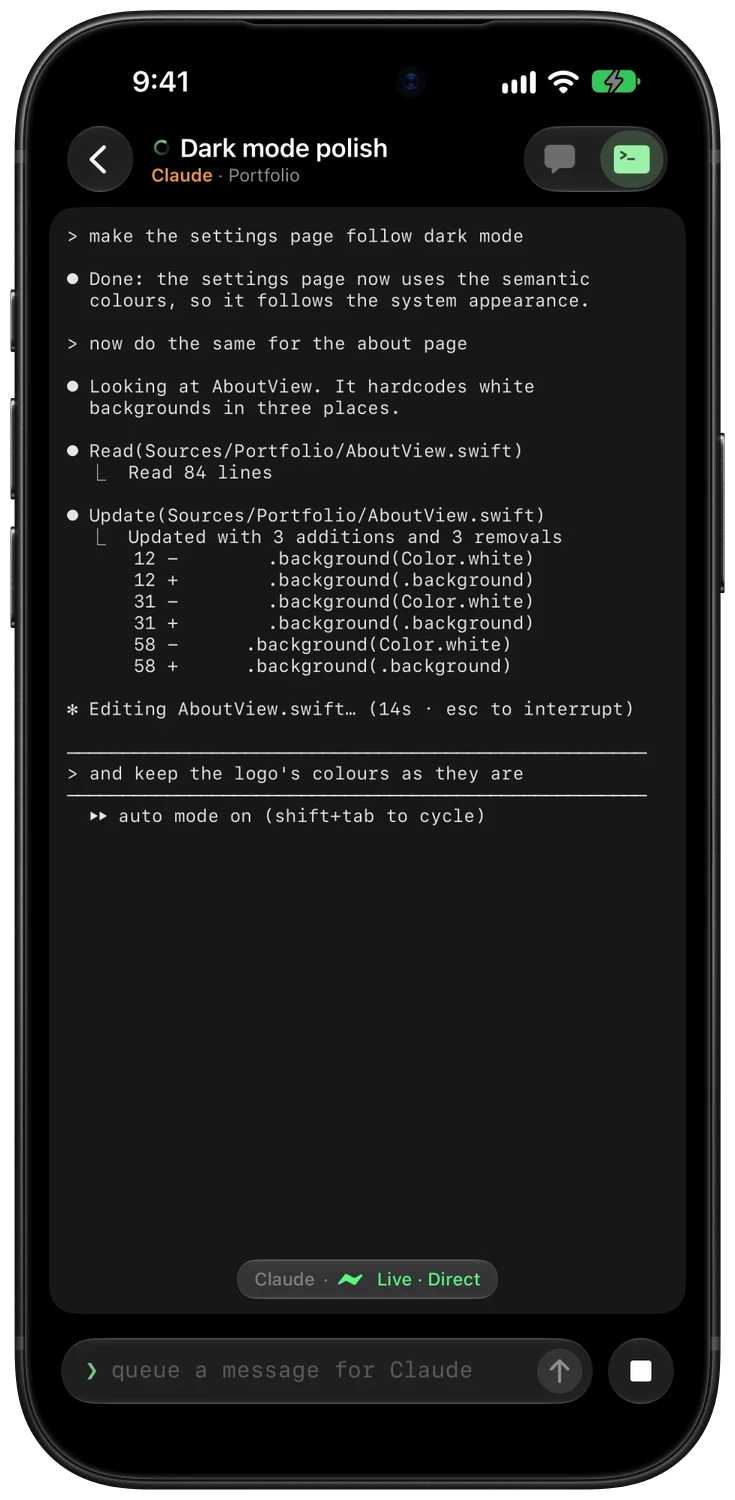
- Live Activity on the Lock Screen with Approve and Deny
- Type into your Mac's terminals, behind Face ID and off until you allow it
- Send photos and files into a project
And the details.
- ⌥⇧Spaceopens Mini over any app, even one in full screen
- A$4.99once. No subscription, no account
- 0Shepherd servers between your Mac and iPhone
Every Space
Mini and the browser open over full-screen apps, on whichever Space you're in.
Commit graph
Branches, history and diffs as a graph, with staging from the editor's change bars.
Dev browser
⇧⌘B brings up a browser for the project's local server, over any app.
Private by design
On the same Wi-Fi, devices talk over TLS with a key only they hold, under a name that changes every hour.
No account
Buy once, use it on up to three Macs. The version you buy keeps working for good.
Widget
A Home Screen widget on iPhone shows who needs you, with a Watch button.
How it's built
Swift, SwiftUI, AppKit.
Shepherd is written in Swift: SwiftUI for the interface, AppKit where the Mac needs it (floating panels over full-screen apps, the global shortcut, the menu bar) and SwiftTerm for the terminal itself. I designed it in Figma and Icon Composer, and built the website, licensing and update feed around it.
- Swift
- SwiftUI
- AppKit
- SwiftTerm
- CloudKit
- Network.framework
- Sparkle
Watching agents without hooks
Session state comes from the files Claude Code and Codex already keep, read as they change, so installing Shepherd never touches a user's tooling.
Mac to iPhone
Network.framework with TLS on the local network, and CloudKit in the user's private database when away. ActivityKit and WidgetKit on the phone.
Shipping outside the App Store
Notarised builds, Sparkle with signed appcasts, Stripe licences and a 7-day trial, all handled by sphrd.dev.
Shepherd. Your agents, one keystroke away.